How to become a Wyoming ESA vendor
Wyoming's ESA program. Service providers start on provisional status and are audited for full certification within the first year. You don't need to be located in Wyoming.
Checked against official sources on Oct 8, 2026
Run by
Odyssey, for the state
Application decision
2 to 4 weeks4
Payment terms
Net 30 after you confirm delivery10
Provider types
2 with their own documents
Who can apply
- Education service providers (ESPs) don't need to be in Wyoming and can serve students virtually from anywhere. Immediate family members of a student can't be that student's ESP.1
- New service providers get provisional status and can start serving families; the state runs a certification review within the first year. Vendors selling only goods are exempt from certification.2
Documents by provider type
Education service providers applying as a business
- Your FEIN, the name of any accrediting or licensing agency, a copy of your business license or articles of incorporation, and current certifications or licenses for the services you provide.3
Pre-kindergarten programs
- Your Wyoming DFS child care facility license number and copies of relevant certifications or training.3
Getting approved and listed
- Each program needs its own application and its own vendor portal. Odyssey says you'll hear back on an application within 2 to 4 weeks.4
- Every offering is reviewed separately. Use a specific title ("6-Week Middle School Math Tutoring", not "Tutoring") and list sessions, length, delivery method and credentials in the description.5
- Prices must sit within a reasonable margin of the blended market price. Build shipping into the listed price; tax is added at checkout.6
- Marketplace purchases can't be cancelled by families. Service orders are cancelled only if the vendor authorizes it.7
How you get paid
- 1Approved vendors are paid by ACH through Stripe. Connect a Stripe account under Payment Set Up in the vendor portal before your first order.8
- 2When a family orders, confirm (or cancel) the order in the vendor portal. After confirming, contact the family within 48 hours.9
- 3Payment runs on net-30 terms, and the 30 days don't start until you enter a tracking number (products) or a receipt or confirmation number (services). If your system doesn't generate one, Odyssey says to enter the date and time you delivered the service.10
- 4Don't send families invoices or receipts for Marketplace orders. Odyssey records every transaction and says invoice, receipt and tracking numbers are managed only in the vendor portal.8
- 5Odyssey doesn't issue vendors a 1099. Keep your own records of Marketplace income.11
Price caps and purchase limits
- Tablets, laptops, desktops, monitors and printers are capped at $1,000 (one each per student per year); 3D printers, tools, disability devices and musical instruments at $2,000; headphones at $200.12
What trips providers up
- Families pay after services are delivered or products ship (pre-paid tuition and assessments are the exception), and refunds go back to the ESA account, never as cash.13
- If you take a partial payment to hold a spot and the student doesn't enroll, refund it to the account within 30 days or all your ESA payments are suspended.14
- Providers receiving more than $150,000 a year in ESA funds must file a surety bond with the Wyoming Department of Education.15
- Keep receipts and records of every ESA transaction. The state can audit providers and decertify those who don't comply.13
When families pay you directly
- Wyoming ESA families can submit reimbursement requests with the vendor's name, purchase and service dates and a receipt, one product per request.16
Sources
- 1.Becoming an Approved Education Service Provider ESP, Odyssey help center, updated May 21, 2026
- 2.Wyoming ESP Certification Process, Odyssey help center, updated Apr 2, 2025
- 3.What documents and information do I need when applying as a Wyoming ESA Service Provider, Odyssey help center, updated Apr 2, 2025
- 4.The Vendor Experience, Odyssey help center, updated Nov 13, 2025
- 5.General Requirements for Service and Product Offerings, Odyssey help center, updated Nov 18, 2025
- 6.Marketplace Price Policy, Odyssey help center, updated Jul 9, 2025
- 7.Understanding Refunds Returns and Cancellations, Odyssey help center, updated Jan 23, 2026
- 8.How Do Vendors Get Paid, Odyssey help center, updated Aug 18, 2026
- 9.Vendor Application Lifecycle, Odyssey help center, updated Jul 2, 2026
- 10.How to Fulfill an Order, Odyssey help center, updated Aug 28, 2025
- 11.Do Vendors Receive a 1099, Odyssey help center, updated Feb 12, 2025
- 12.Price Caps Purchase Restrictions on Eligible Expenses for the Wyoming ESA Program, Odyssey help center, updated Jul 6, 2026
- 13.ESP Payments Compliance and Operations, Odyssey help center, updated May 26, 2026
- 14.ESA Funding and Payments for Vendors, Odyssey help center, updated Apr 2, 2025
- 15.Surety Bond Requirements, Odyssey help center, updated Apr 2, 2025
- 16.How to Submit a Reimbursement Request, Odyssey help center, updated Sep 30, 2026
Spot something out of date? Tell us and we'll re-check it against the source.
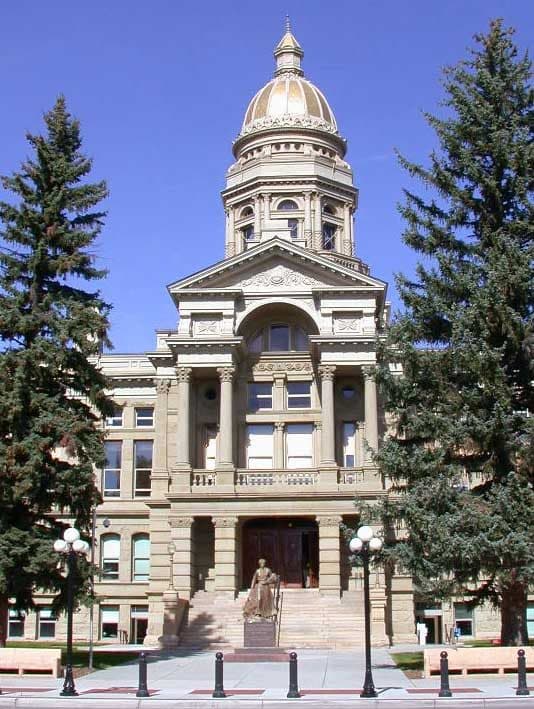
Photo: Matthew Trump, CC BY-SA 3.0
Track every Wyoming ESA order in one place
The ChoicePaid dashboard (early access) shows what's confirmed, what's waiting on a receipt or tracking number, and when each payout is due, across every program you're in.